 SCALEO
Programmatic SEO features: research, writing, quality scoring and publishing.
Scaleo covers the whole programmatic SEO workflow: planning the service and city matrix, researching each place, writing, quality scoring, internal linking, publishing and measuring results.
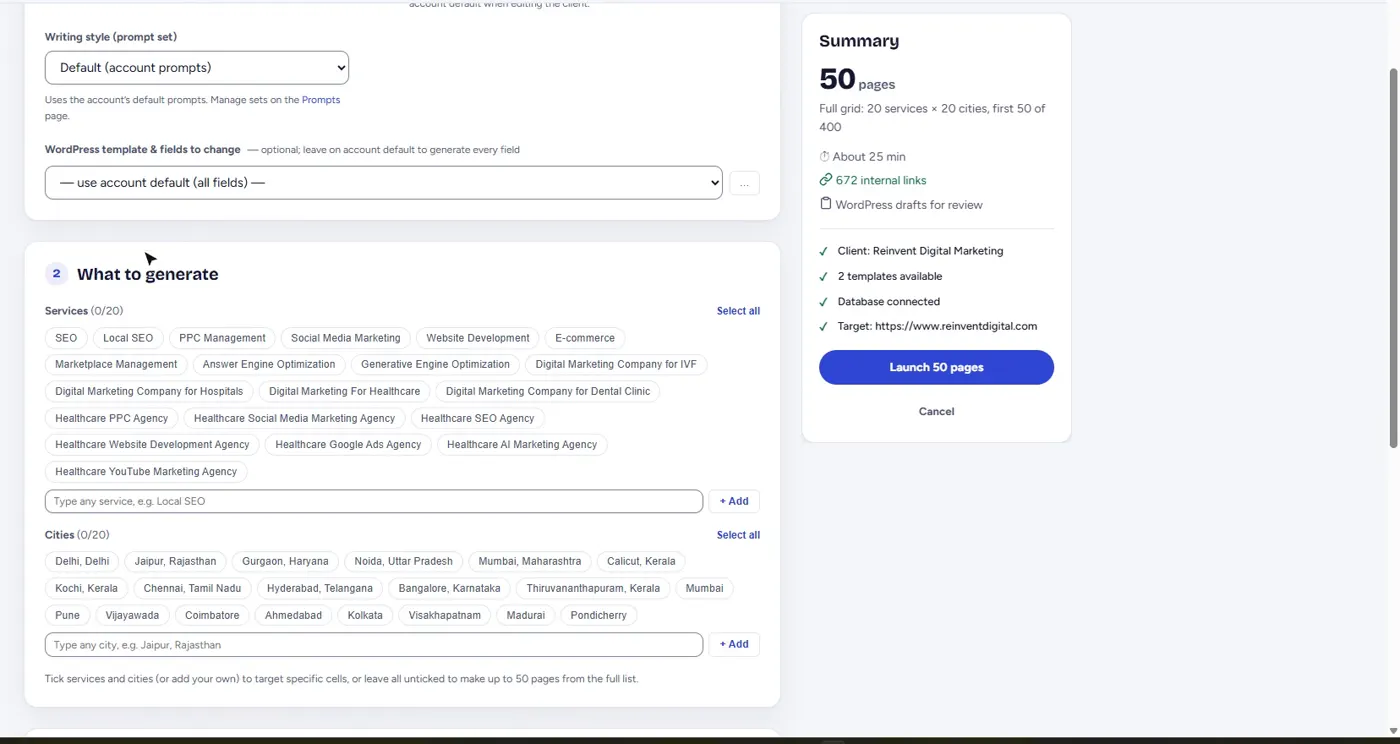
Service × city campaigns
A campaign starts with a client, the services you want to rank for and the cities you serve. Scaleo multiplies them into a matrix and treats every cell as its own page, not a template with a name swapped in. Before launch you see the page count, a time estimate and the checks that will run.
Choose what happens after writing: a dry run to preview, drafts for review, or publish live.
Local research before writing
For each page Scaleo researches the city first: its neighbourhoods and landmarks, who lives there and the local economy. That research becomes the raw material for the page, so the details are specific to the place rather than filler.
Writing grounded in your business facts
Each client keeps a profile of services, locations and business facts. Pages are written from that profile and the city research, in your page layout, with headings, FAQs and calls to action where your template expects them.
A second model scores every page
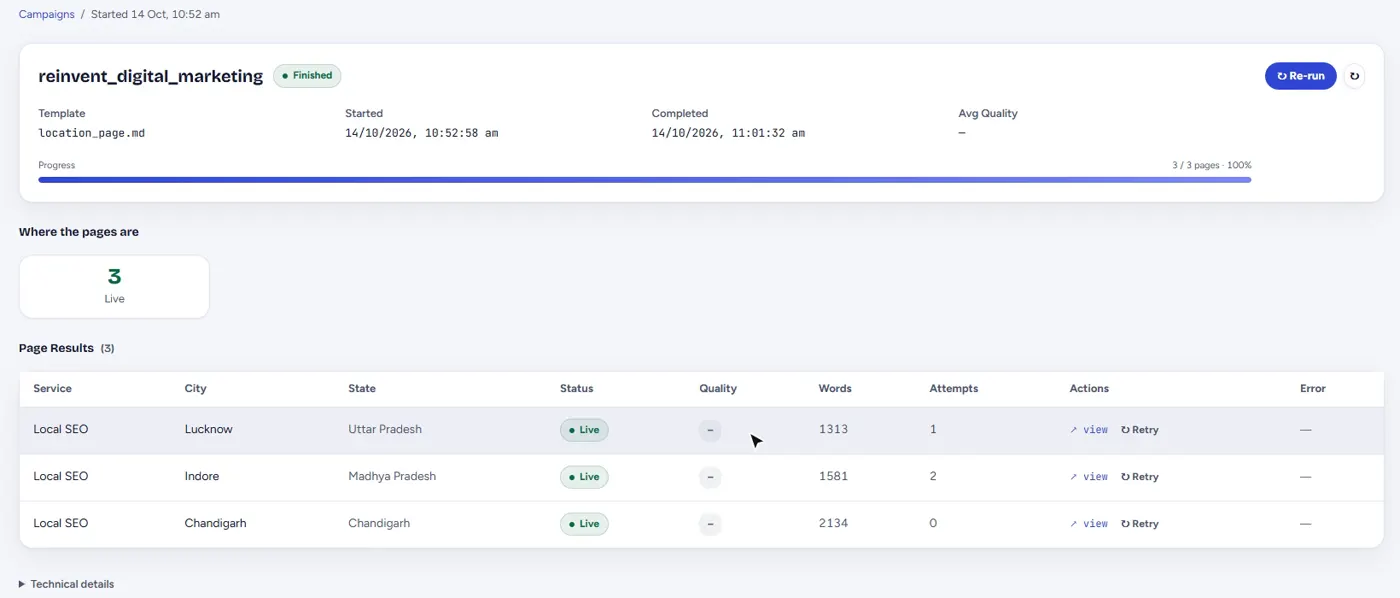
After a page is written, a separate AI model reads it and scores it out of ten. It checks for thin content, generic copy, copy that would read the same in any city, overused AI phrasing and repeated sentence patterns. Anything under your threshold is rewritten with the reviewer's reasons and scored again. You can see how many attempts each page took.
- Generic copy that could drop into any template unchanged
- Local specificity: would this read the same in another city?
- Depth and word count against your targets
- A banned-phrase list you control
Automatic internal linking
Pages link to related services, nearby cities and supporting articles, placed inside real sentences instead of a block of links at the bottom. A link graph shows how every page connects, so no page is left orphaned.
Structured data on every page
Each page carries schema markup that describes the service, the business and the place, plus breadcrumbs and FAQs where the page has them.
Blog generator and daily blog
Beyond location pages, Scaleo turns a keyword into a researched, publish-ready blog post, one at a time or as a batch. A daily blog can research topics, put them up for approval and publish on a schedule you set in the blog calendar.
Images
Generate or attach images for pages and posts, with descriptive alt text, so every page ships complete.
Results from Google Search Console
Connect Google once and see clicks, impressions, average position and indexing status for every page Scaleo published, by client. Pages that are getting clicks, pages Google has not indexed yet and pages that need attention are surfaced on the home screen. One click resubmits a site's sitemaps to Search Console and re-checks which pages are indexed.
AI search visibility
The Scaleo connector on a client's WordPress site can read the web server's access log. Scaleo then shows which AI crawlers and assistants, such as GPTBot or PerplexityBot, fetched which pages and when, so you know what AI search is reading as well as Google.
Approvals and roles
Team members get access to the modules they need. Drafts and blog topics wait in an approvals queue until someone signs them off.
What Scaleo does not do
- It does not guarantee rankings. It makes pages worth ranking and shows you what happens in Search Console.
- It does not replace your review for regulated content. Medical, legal and financial claims should be approved by a qualified person before publishing.
- It does not invent your facts. Prices, addresses and credentials come from the business profile you supply.
Plans and credits
Each agency starts with a one-time Free trial (240 credits for 30 days), then a monthly plan. Every page or post costs a fixed number of credits, shown before a campaign starts; paid-plan credits last 60 days from when they are granted, and top-ups and plans are paid through Razorpay. See pricing.
Questions about features
Does Scaleo write the same page for every city?
No. Each page is researched and written for its own service and city, and the quality check rejects copy that would read the same in another city.
What happens to a page that fails the quality check?
It goes back to the writer with the reviewer's reasons, is rewritten and scored again. If it still does not pass it is held back instead of published.
Can Scaleo track how the pages perform?
Yes. After you connect Google Search Console, Scaleo shows clicks, impressions, position and indexing status for every published page.
Your next 480 pages are one campaign away.
Create a free account in a minute, or tell us about your services and cities and we'll set up your first campaign.