 SCALEO
Publish to WordPress, Elementor, headless or static sites.
Scaleo publishes into the site you already have. Pages use your existing templates, so they match the rest of the website, and each client is set up once with one publishing mode.
WordPress
Pages are created through the WordPress REST API and rendered by your theme's page template. A small connector plugin handles the connection with an application password, which Scaleo stores encrypted. SEO titles, meta descriptions and focus keywords are set per page for Yoast.
Elementor
Keep your Elementor design. Scaleo fills each page's fields with its own content, so a 400-page campaign uses the same layout your designer built for one page.
Headless WordPress with ACF
For sites with a Next.js or other headless frontend, Scaleo writes into an Advanced Custom Fields group on a services post type, and your frontend renders it.
SiteOrigin page builder
Sites built with SiteOrigin get their page-builder layout filled per page, the same way as Elementor.
Static HTML through cPanel
No CMS? Scaleo writes complete HTML pages straight to your hosting through the cPanel API. The file is the page.
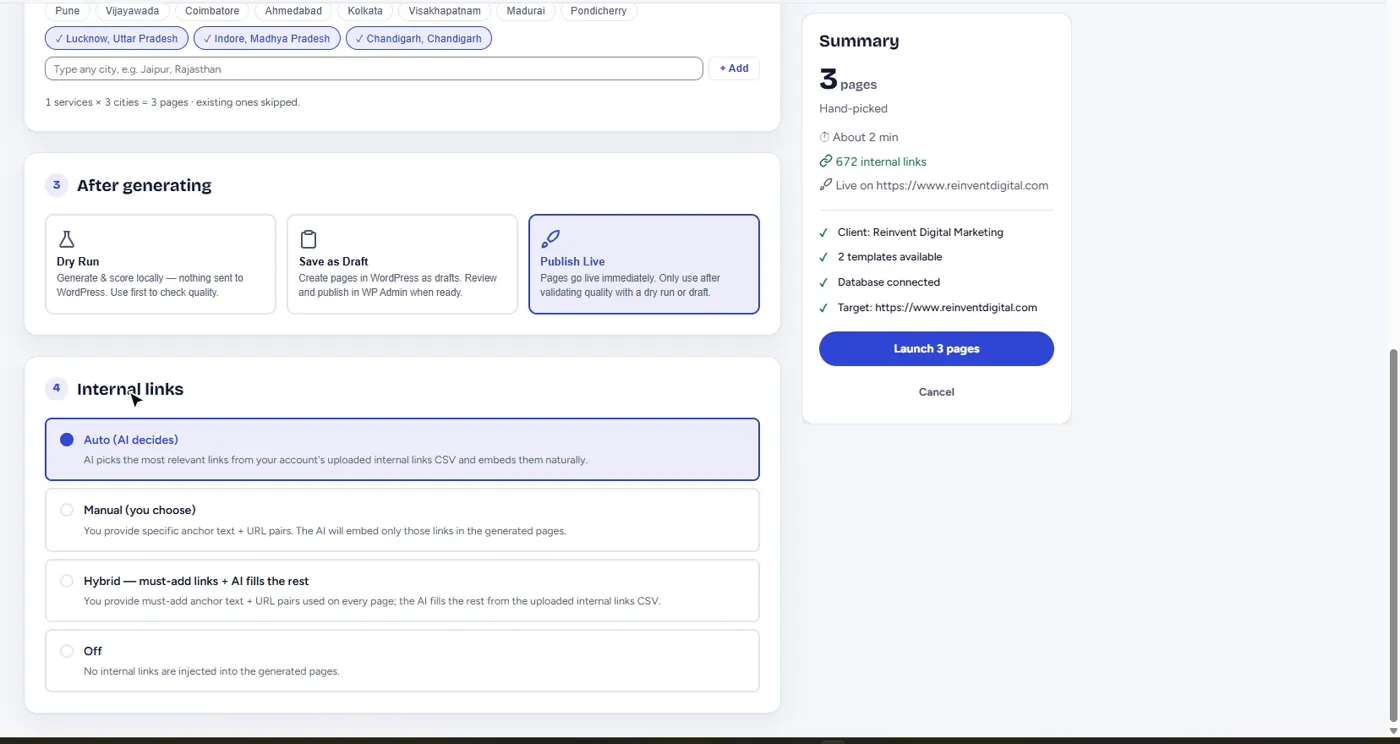
Choose how every campaign publishes.
Each campaign can run as a dry run, save drafts for review in WordPress, or publish live, with internal links on auto, manual or hybrid.
Data and search integrations
Google Search Console
Clicks, impressions, position and indexing for every page Scaleo published, per client.
Google Analytics 4
Traffic from organic search alongside Search Console data.
Sitemap resubmission
Resubmit a site's sitemaps to Search Console in one click, then re-check which pages Google has indexed.
Live research
Tavily looks up each city's local economy for every location page, and DataForSEO supplies keyword volume and difficulty for the monthly topic research.
Questions about integrations
Do I need a new theme to use Scaleo?
No. Pages are published into your existing page templates, Elementor design or headless frontend, so they look like the rest of your site.
How does Scaleo connect to WordPress?
Through the WordPress REST API with a small connector plugin and an application password. The password is stored encrypted.
Can Scaleo publish to a site with no CMS?
Yes. Static HTML mode writes complete pages to your hosting through the cPanel API.
Your next 480 pages are one campaign away.
Create a free account in a minute, or tell us about your services and cities and we'll set up your first campaign.